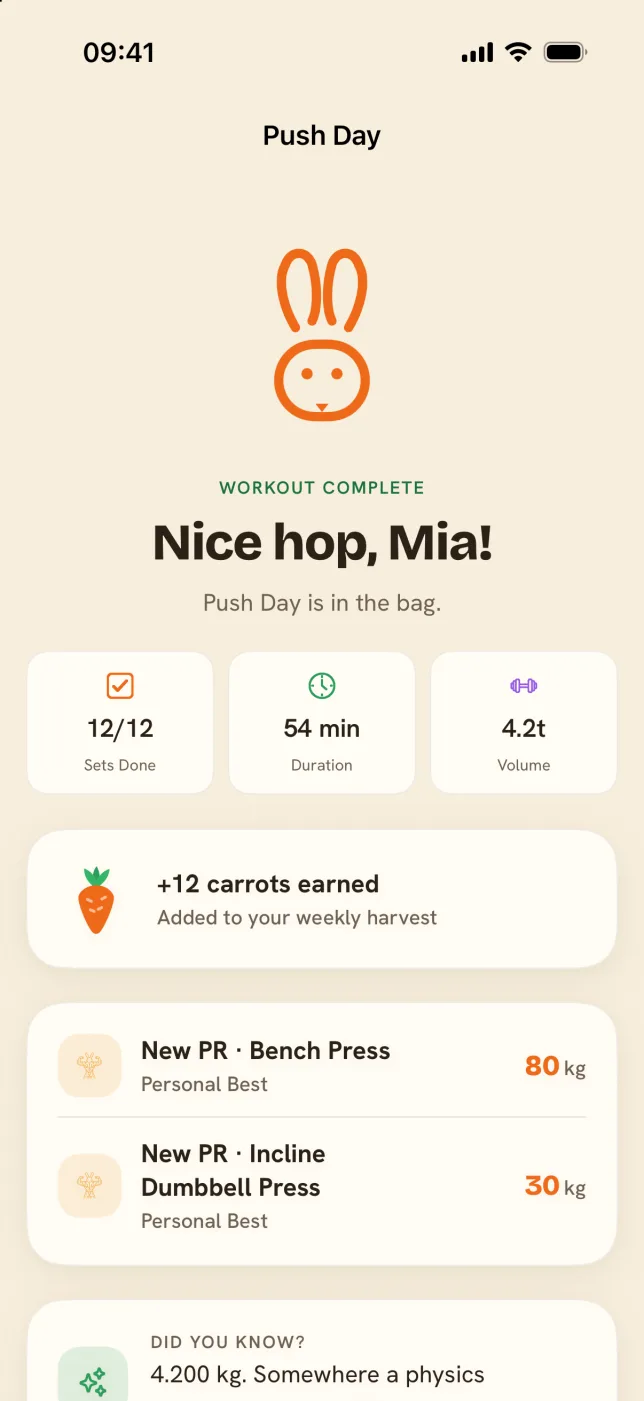
Built for the gym floor.
Logging, programs and the Watch, designed for one free hand and about two seconds of attention.
Three ways to log a set.
Pick the one that matches how you train. Switch between them mid-session; every one pre-fills weight and reps from last time.
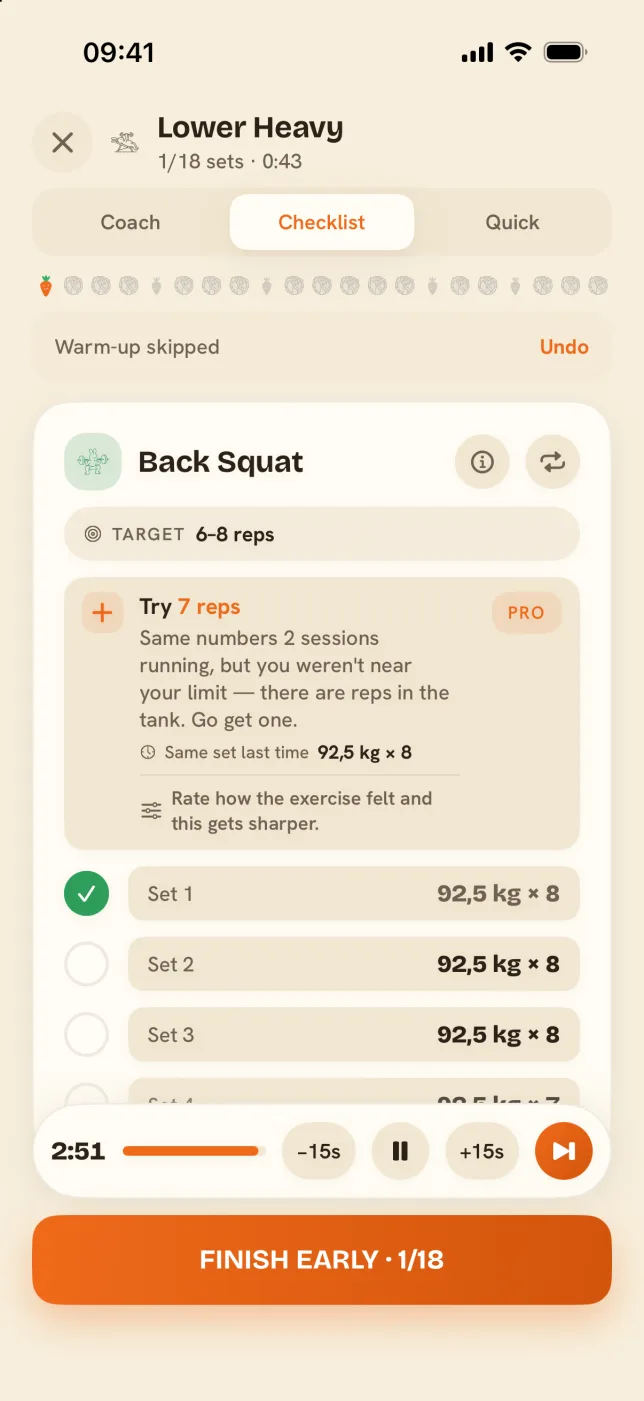
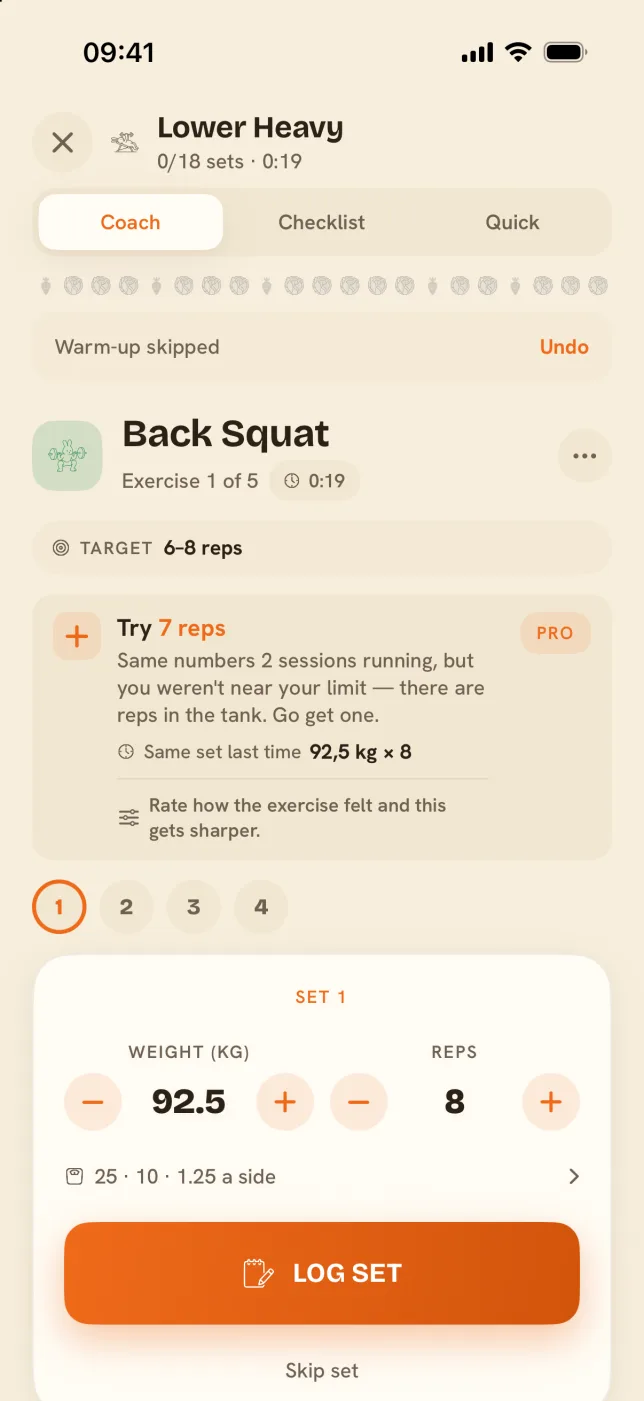
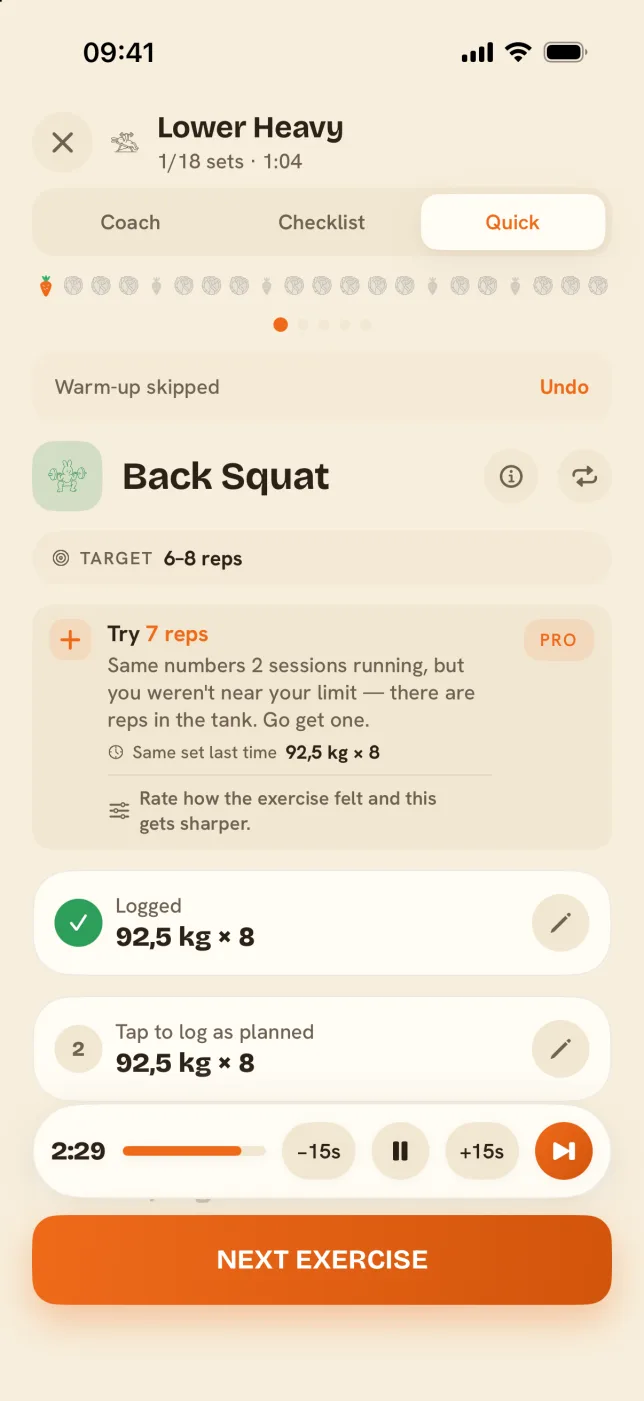
Checklist is your whole day as a list
Coach walks you set by set
Quick logs a session on one screen
- 1
Open today's day
Your program is ready, with weights and reps pre-filled from your last session.
- 2
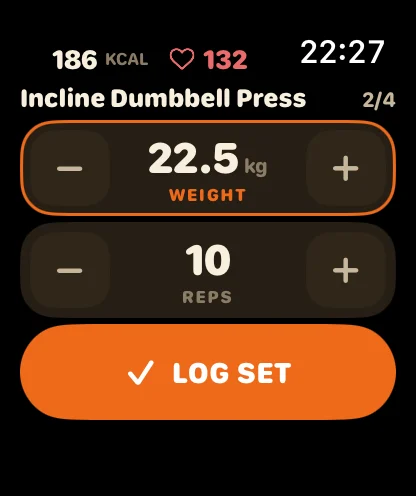
Tap Log set
Numbers already right? One tap. Different today? Big steppers, no typing.
- 3
The rest runs itself
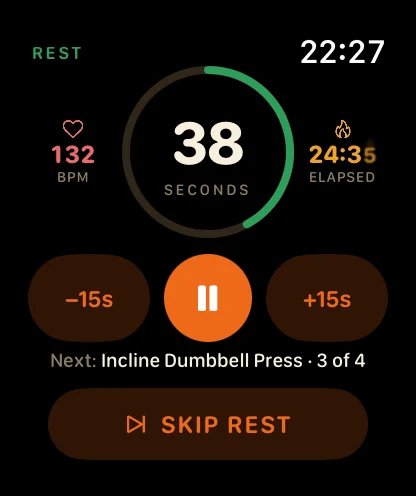
The timer starts, your Watch buzzes, and Coach mode tees up the next set.
It works out what to lift next time.
The numbers behind each suggestion come from published training research, and the app shows its working. Free gets one real suggestion a week. Pro suggests every lift.
- Add weight, add a rep, or back off. It reads your last session and says which one fits, next to what that same set did last time.
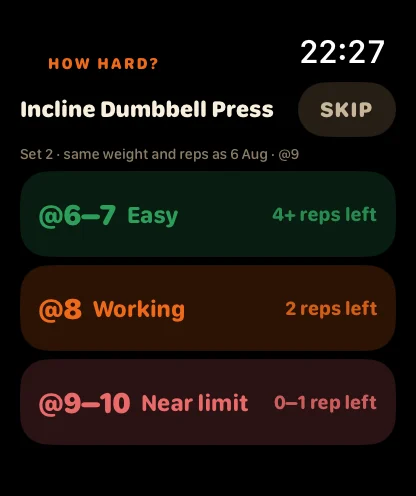
- Train by effort. Set a target like RPE 8 and it tells you how many reps you have left in the tank.
- Warm-up ramps. Your own programs open each main lift with ramp sets built from your working weight.
- Plates per side. Bar-loaded lifts show what goes on each end; tap to pick the bar or round to what loads.
- Rest that adapts. Heavy compounds rest three minutes by default; a near-limit set earns a little more.
Programs without the spreadsheet.
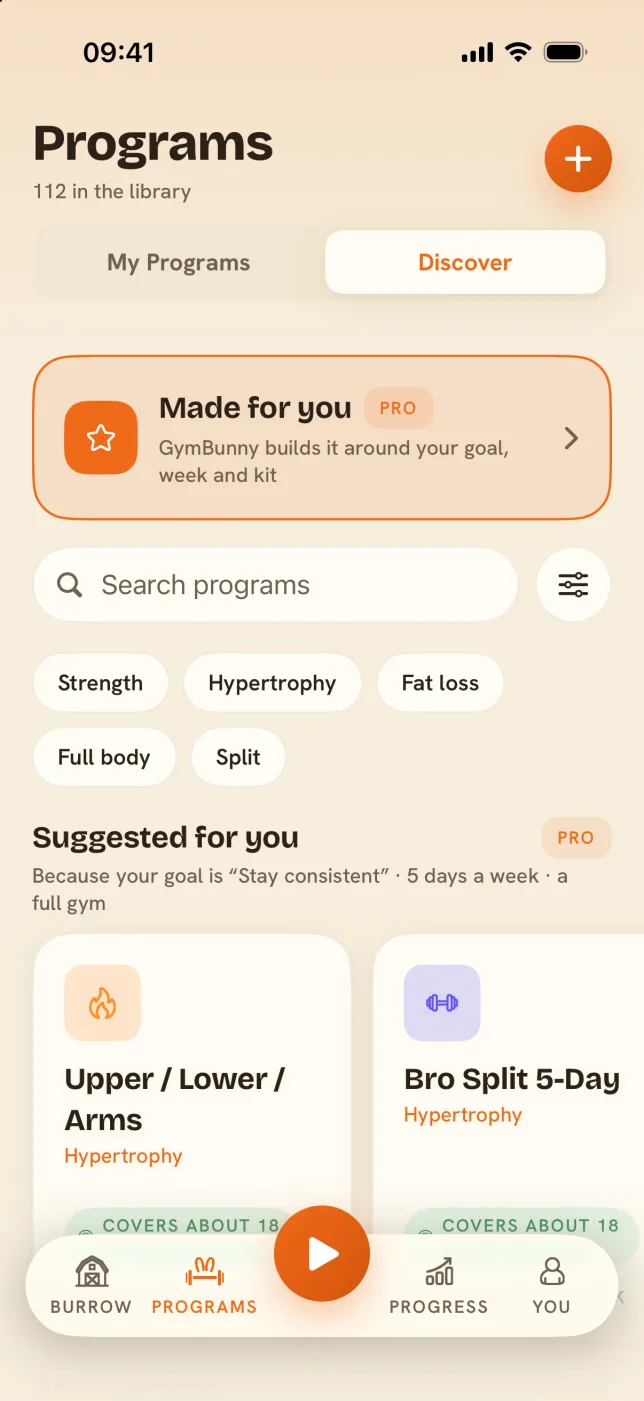
Name it, add your days, drop in exercises. Under a minute, with as much detail as you want or none of it. Or skip the typing entirely.
- 112 in the library. PPL, upper/lower, 5×5, 5/3/1, PHUL and the Reddit classics; search them by the names you know.
- Made for you Pro answers five questions about your goal, week and gym and builds a plan on your device, with a note on why.
- Paste one in. A coach's PDF, a forum post, a WhatsApp message: paste the text and it becomes sets, reps, weights and rest.
- Supersets, circuits, last-set max and drop sets. Link exercises and Coach mode walks the order for you.
Coming from Strong or Hevy takes one import.
Export your history as a CSV from the old app, then open You → Privacy & security → Import. You see the counts before anything is saved.
- 1
Export from the old app
Strong and Hevy both export a CSV of your workouts. That file is all GymBunny needs.
- 2
Import, read the preview
Workouts, duplicates, date range and the exercises that didn't match the library, listed before anything saves.
- 3
Train with a full log
Every workout, set, weight and rep comes over in kg or lb. Importing twice doubles nothing. Imported workouts don't pay carrots.
The way out is open too: Export workouts as CSV is in the same place.
Your phone can stay in the bag.
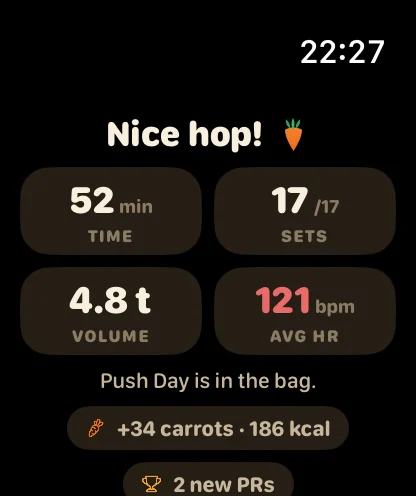
Start, log, rest and rate the whole session from your wrist. The iPhone keeps the numbers. It is the same workout, not a stripped-down companion.
Send it to your coach or a friend.
Finish a workout and hand it off through the iOS share sheet: a summary card image (Free), a link with a QR code anyone can open in a browser, or the Coach report (Pro) with every set, your top set and estimated 1RM.
The timer on your lock screen.
The rest countdown and the next set sit on the Dynamic Island and the lock screen, so the phone can stay face down between sets.
Your next PR is one hop away.
Install, pick a program or import your history, and log the first set. It takes less time than reading this page.
Store links go live on launch day. Questions now? Write to support.